Getting started
How Trace works and what to expect during onboarding.
Trace is an AI-native security company that runs penetration tests on your web apps and APIs and, depending on your plan, your mobile and desktop apps, CLIs, and AI features. You point Trace at an application, and Trace tests it the way an attacker would. In a whitebox test, Trace also reads your code, so it can find and confirm real attack paths instead of guessing from the outside. If you can't share source, Trace also runs greybox and blackbox tests. A certified security engineer reviews every finding, and every engagement ends with a report and a letter of attestation you can give your auditors.
This page walks through what Trace does, who it's for, and what happens when your organization is onboarded.
What Trace does
Trace clones your repository into an isolated, ephemeral environment and reads the actual code (the auth model, the data flows across files and services, the business logic), then uses that understanding to find and exploit vulnerabilities. Because it works from the inside out, it reaches the issues a black-box test never sees:
- Broken access control: IDOR, missing authorization checks, cross-tenant isolation gaps, privilege escalation.
- Injection: SQL, command, and template injection reachable through real request paths.
- Business-logic flaws: multi-step abuses that only make sense once you can read both the request and the handler behind it.
- Authentication & session weaknesses, SSRF, insecure design, and the rest of the web attack surface.
Every finding is verified before it reaches you: Trace substantiates the attack vector, exploit scenario, prerequisite access, and impact with code citations, and a security engineer reviews it. Findings reach your team through the dashboard, the CLI, and your notification channels. For a deeper look, see the Pentest overview.
Who Trace is built for
- AppSec engineers and CISOs who need a real pentest with defensible, audit-ready evidence for SOC 2, ISO 27001, and similar regimes.
- Engineering teams who want to fix genuine, exploitable issues, not triage a wall of scanner noise.
How onboarding works
Trace onboarding is hands-on. The Trace team runs the first engagement alongside you and calibrates scope before you rely on the output.
The flow looks like this:
- Account provisioning. We provision your organization in WorkOS and invite your initial admins. SSO (SAML, OIDC, Google, Microsoft) and SCIM provisioning can be wired up at this stage.
- Connect your source. From the dashboard, you'll install Trace's GitHub App (or connect a Bitbucket workspace) and select which repositories to grant access to. GitHub's install screen lists every permission Trace requests, and we publish a complete reference on request for security review.
- Set up your applications. You describe what Trace should test: the type of application, the repositories behind it, where it runs, and the accounts Trace signs in with. Setting up applications walks through each step and helps you decide how many applications you need. Optionally connect your cloud provider so an engagement can see how the app is actually deployed. You can do this from the dashboard or the CLI.
- Run the pentest. Trace runs the engagement against the scope you defined, verifies each finding, and a security engineer reviews the report before it lands.
- Remediate and re-test. Work findings in the dashboard and ship fixes. When you mark a finding remediated, Trace re-tests it to confirm it's actually closed. See How an engagement works.
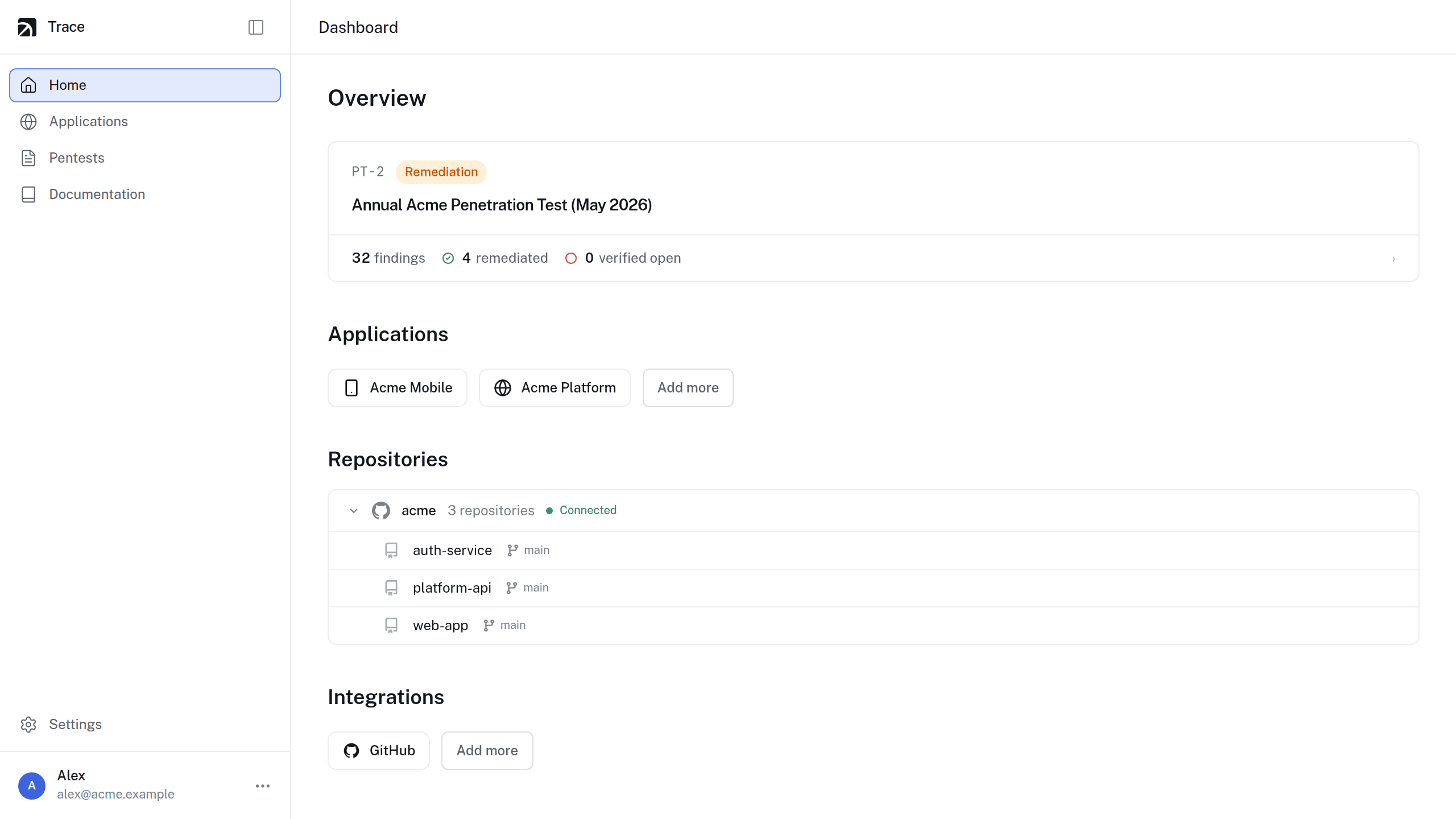
Once an engagement is under way, the dashboard home shows where it stands: the current pentest with its finding and remediation counts, the applications in scope, the repositories Trace can read, and the integrations you've connected.
Pentests are manual: Trace never starts an engagement automatically. Testing runs only when the Trace team starts it, against the scope you agree.
Connect your first repository
Install the Trace GitHub App and pick the repositories in scope.
Opens in your dashboard